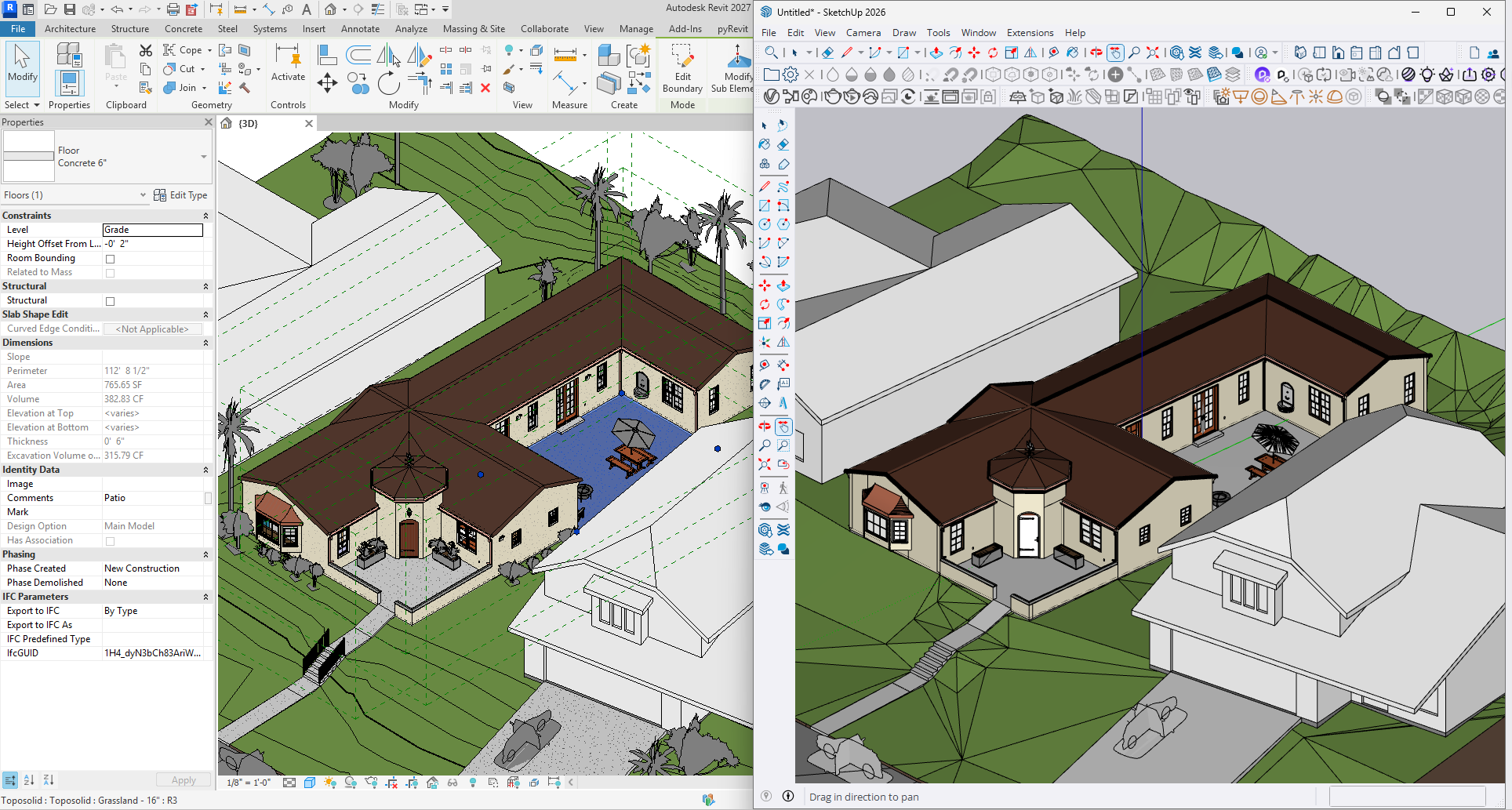
That was the feedback from our 3D artists. They had just received a SketchUp model that was exported from Revit—the standard workflow for our government building project. The geometry was a disaster: broken faces, missing materials, random layers, and no logical structure. Hours of cleanup work lay ahead. And this wasn’t the first time.
Every project, the same story. A Revit model needs to move to SketchUp for visualization, rendering, or further design development. And every time, the transfer damages the model so badly that it almost feels like starting over.
Why does this keep happening? The official solutions are limited.
We don’t have access to SketchUp Studio, which includes an official Revit importer. Even if we did, we’ve heard mixed reviews—some say it works, others say it still loses important data. That leaves us with the traditional fallbacks: export to DWG or IFC.
These formats are “standard,” but they’re not designed for a clean, data-rich transfer. Exporting to DWG often flattens the model, losing Revit’s intelligent categories and parameters. IFC, while better for data, can create an unmanageable number of components, each one treated as a unique object. The result? A SketchUp model that is heavy, messy, and stripped of the BIM information that makes the Revit model so valuable.
This wasn’t just an inconvenience; it was a failure of interoperability. We were losing the intelligence of our model in the translation.
So I decided to build my own bridge.
I created a custom workflow that uses JSON as a neutral data format. The process is simple:
A Revit Add-In exports selected geometry, materials, and BIM parameters into a JSON file. A SketchUp Extension reads that JSON and reconstructs the model, organizing elements by Revit category and preserving as much information as possible.
The goal was to transfer not just the shape, but the identity of the model—its categories, parameters, and logic.
But here’s the honest truth: I don’t yet know if this will be truly useful. BIM data in SketchUp is an experiment. Architects and modelers in SketchUp might not need or want all that information. Maybe the geometry is enough. Maybe the BIM parameters just add clutter.
I built this tool with a hope, not an answer. I hope that someday, I’ll understand if this approach actually improves workflows or if it’s simply a technical curiosity.
I know every stakeholder has different needs. Our 3D artist wants clean geometry and materials. A project manager wants to query data. A client wants to understand the design. Everyone interacts with the model differently.
What I truly want is a seamless, interoperable way for data to move between tools—without losing its meaning along the way. I want a model to remain intelligent, no matter which software opens it. This is a small step toward that vision.
So, I made it open source. I shared it for free on GitHub.
I don’t know if it will be widely adopted. I don’t know if the BIM data in SketchUp will prove valuable or just be ignored. But I’ve put it out there, and now I wait for feedback. I’m genuinely happy if someone finds it useful. Even if the feedback is critical, it will help me improve.
Ultimately, this tool is a bridge. Bridges are meant to be crossed, tested, and strengthened over time. I’m excited to see where it leads.
Get the tool: https://github.com/armanwu/revit-to-sketchup-bridge